Screen 01 · Today at a glance
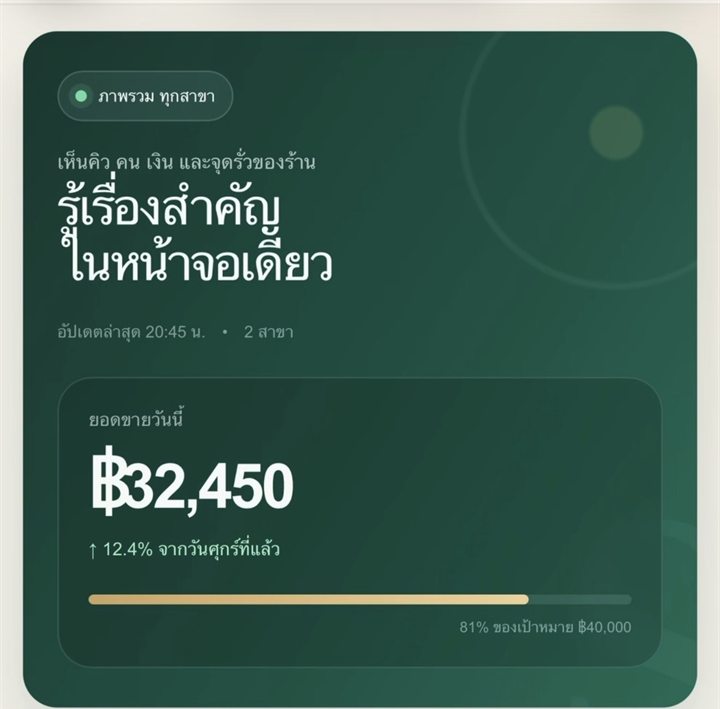
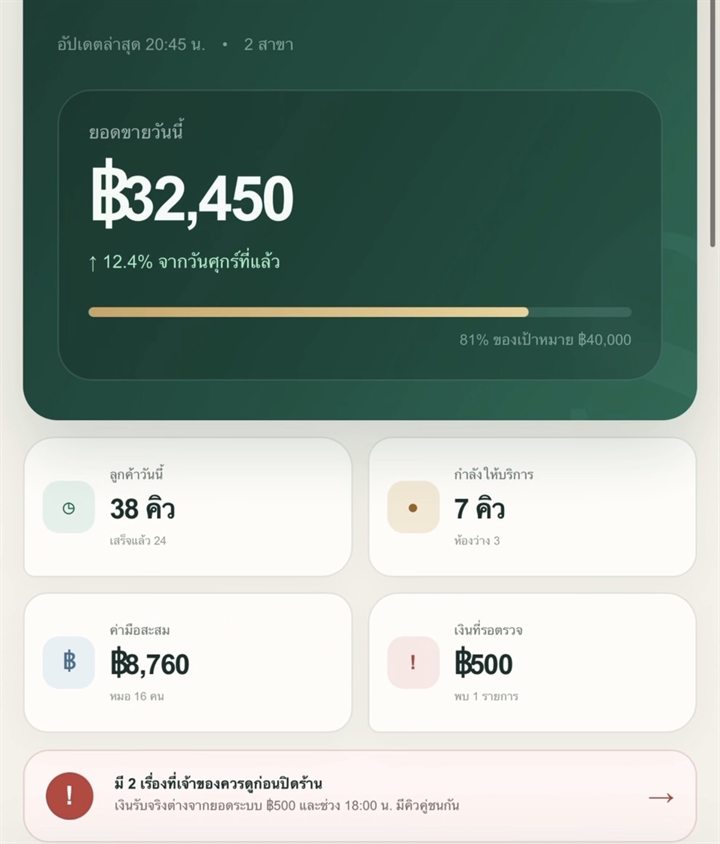
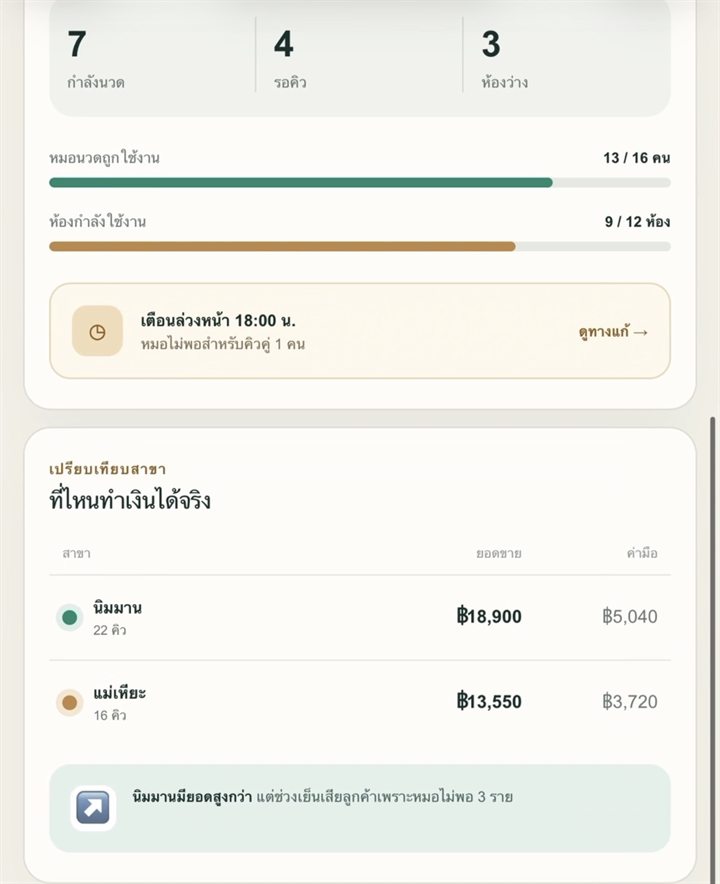
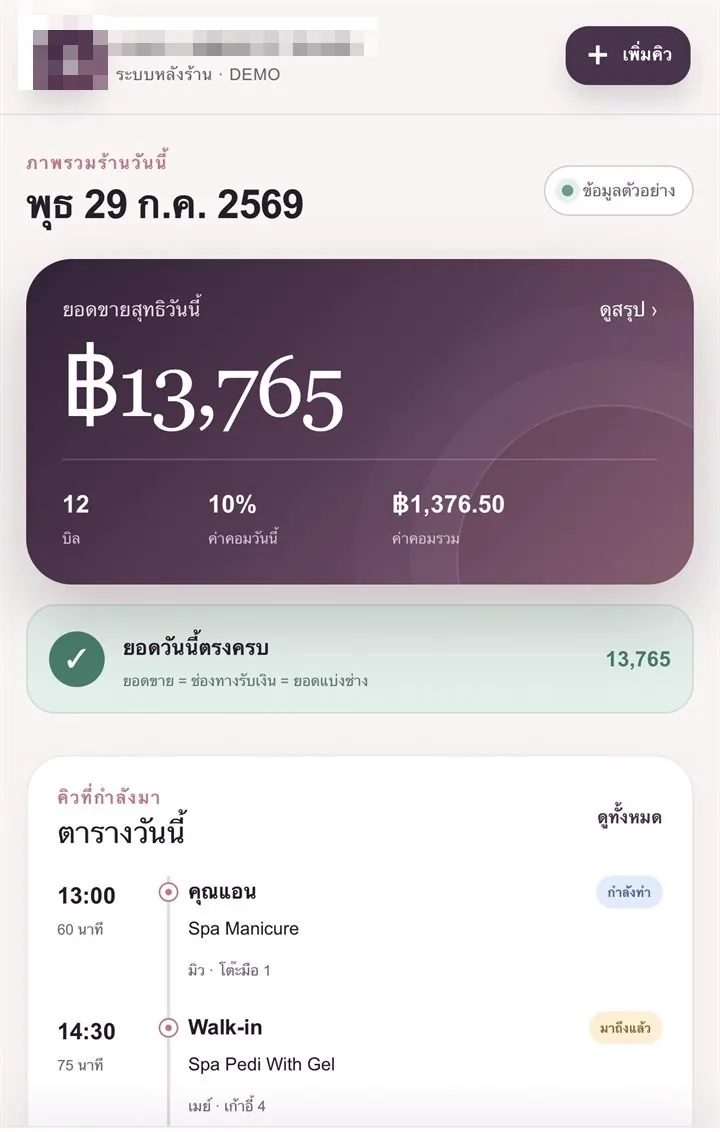
Open it and you know how the day is going
Net sales, number of bills, commission percentage and the total commission owed to technicians, all on one screen. Below that are the upcoming bookings with the technician and station assigned
The green bar under the sales figure is the automatic reconciliation — sales total = total received across payment methods = total allocated by technician.
If these three totals do not match, the bar does not turn green. The owner knows that same day, rather than finding out at the end of the month.
Screen 02 · Today’s bookings
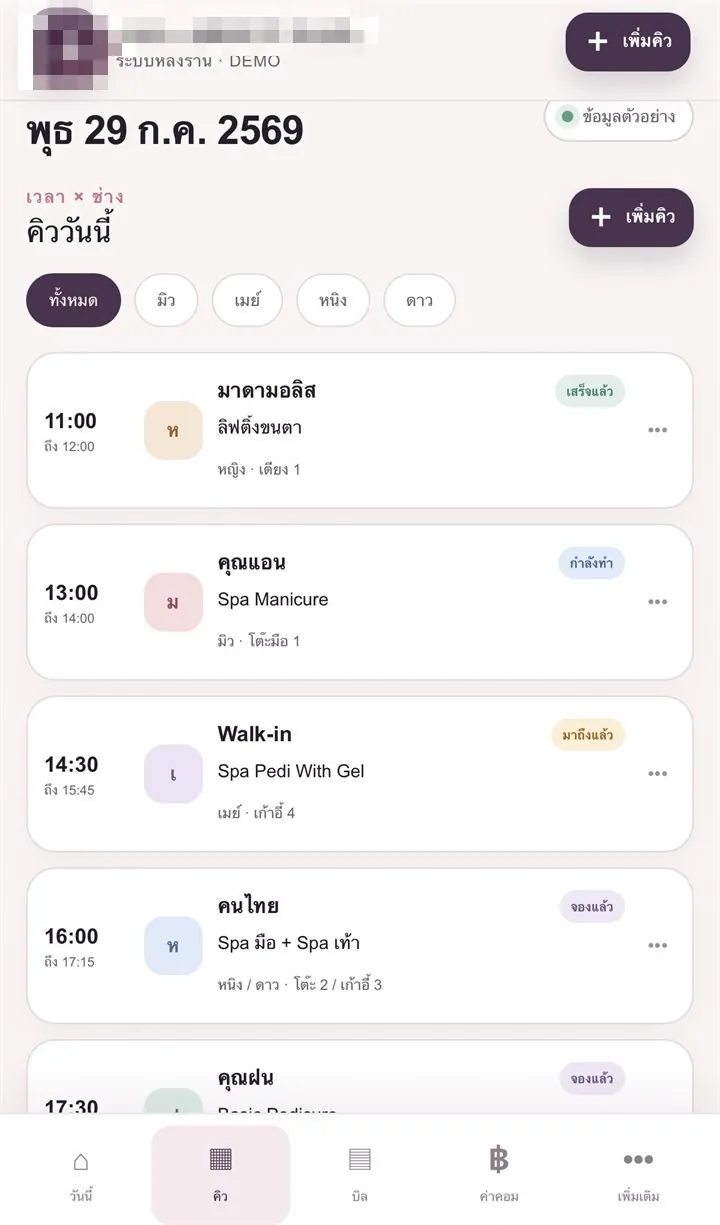
Today’s bookings, ordered by time and technician
This screen is designed for front-desk staff to use while the customer is standing in front of them, so it must be easy to read and need as few taps as possible
- Filter to a single technician, so they can see their own bookings without scrolling past everyone else’s
- Each card states its status clearly — booked / arrived / in progress / finished
- Tied to a table, chair or bed so bookings cannot clash in the first place
Screen 03 · Bill details
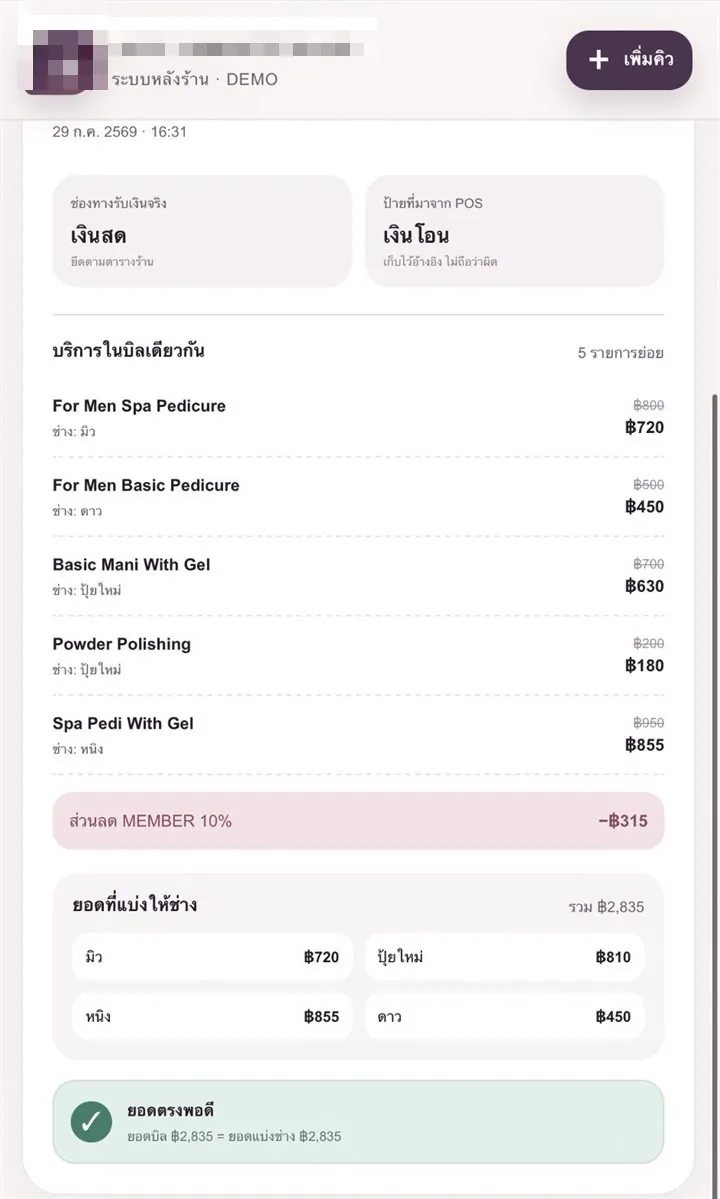
One bill, several services, several technicians — the money split is worked out
Each line shows the full price, the discounted price and who performed the service. At the bottom of the bill, the system lists the amount allocated to each technician, then checks that the bill total and the allocated total match exactly
A detail only a real shop knows it needs — the system separates the payment method actually used from the label coming from the POS machine
Staff pressing the wrong option is normal, so the system keeps both values, treats the actual payment channel as the truth, and does not jump to blaming anyone.